Request a fix
Edition: Community and Enterprise
For developers and operations people who need a change made to production data. You need the requester role on the target database.
Write a request and submit its values
- Select "New request".
- Choose the "Target database". Fill in the "Ticket" if the environment asks for one, and "Why": one line the reviewers and auditors will read.
-
Write the "SQL template" with named parameters only, never a value:
A parameter's name is any word. On Oracle, choose a word Oracle does not reserve: the database refuses a name such as
:dateor:commentat the dry run. -
Under "Parameters", choose a kind for each one. The kind decides how the value is masked for approvers and auditors: declare a national ID as
national_id, a card number ascard. See Masking. Choosecodeonly for a value that names no one, such as a status or a reason code: approvers and auditors read it in full. Never givecodeto a column that holds a person's name or a username. Declare a name astext. Ask your administrator to mark such columns as sensitive on the target: check C8 then refusescodeon them. It refusestextthere too, so on a column marked that way no kind that fits a name is left. - Optionally set a "Row limit": the most rows the change may touch.
- Select "Save draft".
- Under "Submit values", type one row of values per change, or upload a CSV whose header names the parameters.
- Select "Submit for review".
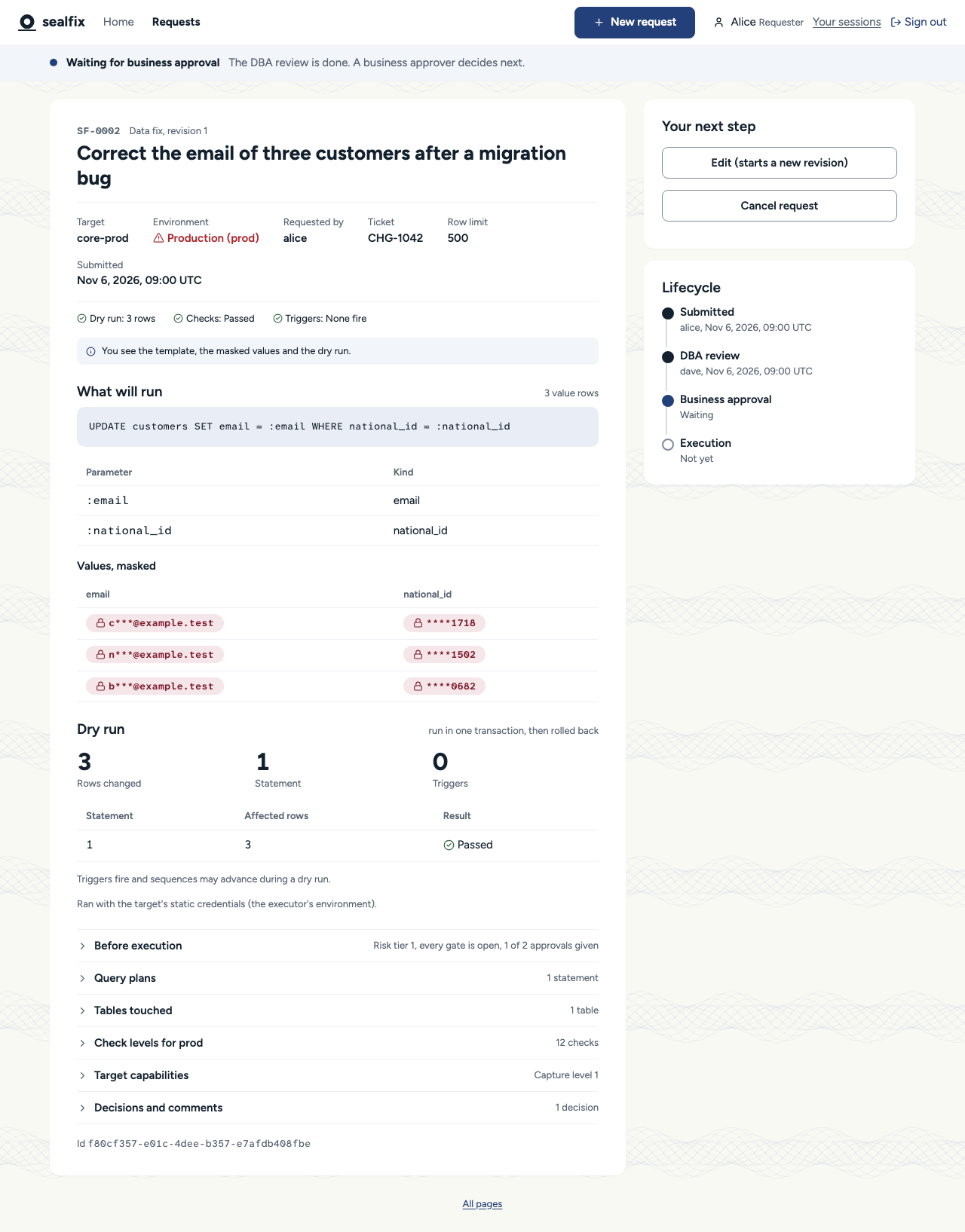
The checks run first. If they pass, the values are sealed and the dry run starts. If a check fails, the "Checks" section names it; select "Edit (starts a new revision)", fix the template or the kinds, and submit the values again.
Already have a script with the values written in it?
Use "Import a SQL script" on the New request page. sealfix turns the literals into parameters, seals the ones that look like customer data, and shows you what stays visible before it creates the request. It keeps nothing of the script itself.
Decide what happens to triggers
The dry run lists every trigger your fix would fire. For each one, choose:
- "Let it run": what it changes outside the statement's own table is not undone by a rollback.
- "Disable it inside the transaction": offered only where the environment allows it. The executor turns it back on and checks it before committing.
A trigger with effects outside the database is refused.
Answer a rejection
The reviewer's reason is under "Decisions and comments". Select "Edit (starts a new revision)" to start a new revision with the change they asked for, or "Cancel request" to give it up. A new revision goes through the checks, the dry run and every approval again.
Execute an approved fix
Only you, the requester, start the execution. When the request is approved, "Your next step" shows "Execute on the target". The section "Before execution" shows anything that can still block it, such as an execution window.
The executor runs the fix in one transaction and rolls it back by itself if the rows differ from the dry run.
Request a rollback
- Open the executed request. Under "Your next step", fill in "Why roll back?" and a ticket if you have one.
- Select "Request rollback". sealfix creates a rollback request from the sealed before-image.
- It has its own dry run and needs the same approvals. Execute it when it is approved.
See Rollback and before-images.
Declare an emergency
Only where an administrator allows emergency changes on the target's environment. Elsewhere the form has no trace of them.
- On "New request", choose the "Target database". Where its environment allows emergencies, the group "Emergency" appears.
- Tick "Declare an emergency" and fill in "Why it cannot wait": one line that everyone who may see the request reads.
- Write the rest of the request, select "Save draft" and submit the values.
It runs on one technical approval, and it may run outside the execution window, though not in a blackout unless that blackout allows emergencies. You execute it as any fix. The other approvals are owed after it ran: the request shows "Review owed", then "Review complete". Nothing is rolled back by itself, even if an approver rejects it in review.
The category is fixed when you create the request. To drop the emergency, cancel the request and create another. While one of your emergencies has an overdue review, or a rejected one no administrator has acknowledged, you cannot declare another.
See Emergency changes.